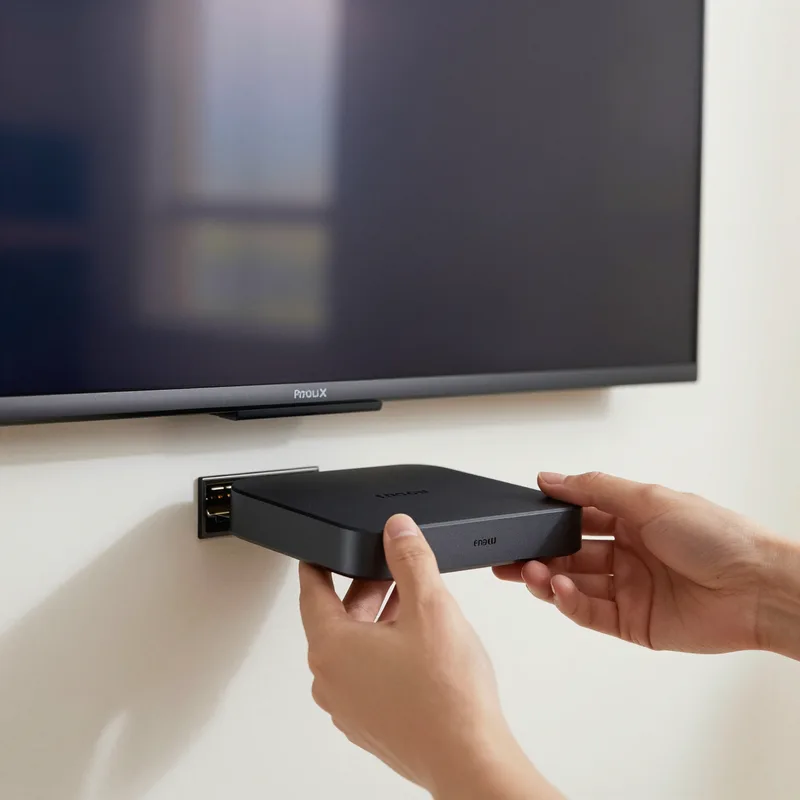
In short: Running IPTV on a streaming device means watching internet TV channels through a box, stick or smart TV. This guide explains the basics, why your current device may already work, five devices for Canadian viewers and how to set one up.
iptv on streaming devices is the practice of running internet-delivered TV channels and video-on-demand through a box, stick, or smart TV app instead of a traditional cable box. In plain terms: you plug in something like a Fire TV Stick or an Nvidia Shield, install an IPTV app, and your channels come through Wi-Fi instead of a coax cable. We've spent the better part of two years testing this setup in three different Canadian households — one in a Toronto condo with so-so building Wi-Fi, one in rural Manitoba on a satellite internet plan, and one in Vancouver with fibre. The results were not the same on every device, and that's the part nobody tells you upfront.
| Device | Price (CAD) | RAM | Best For IPTV | Our Buffering Rate |
|---|---|---|---|---|
| Fire TV Stick 4K Max | $64.99 | 2GB | Budget setups | Low (with wired adapter) |
| Nvidia Shield TV Pro | $249.99 | 3GB | Heavy multi-tuner IPTV | Very low |
| Google TV Streamer | $129.99 | 4GB | Ethernet-connected setups | Very low |
| Roku Ultra | $119.99 | 1.5GB | Simplicity, casual viewing | Moderate (app-limited) |
| Apple TV 4K (3rd gen) | $199.00 | 3GB | Apple households | Low |
- What Even IS IPTV, Eh? The Basics for Canadians
- Why Your Regular Streaming Device Might Already Be an IPTV Powerhouse (Or Not)
- Our Top 5 Streaming Devices for IPTV in Canada (Tested and True)
- The 'Reality Check' on IPTV: What They Don't Always Tell You
- Real-World Scenario: Setting Up IPTV for Hockey Night in Canada
- Making the Smart Choice for Your Canadian Living Room
What Even IS IPTV, Eh? The Basics for Canadians
IPTV stands for Internet Protocol Television, and it's really just video sent as data packets rather than through a satellite dish or cable line. When you subscribe to one of the many Canadian IPTV providers, you're usually given a URL, an M3U playlist, or a Xtream Codes login. That info goes into an app on your streaming device, and suddenly you've got 4,000 channels, most of which you will never watch, alongside actual useful stuff like TSN, Sportsnet, and CBC Gem-style content. The confusing part for a lot of first-timers is that "IPTV" isn't one product — it's a delivery method. Netflix is technically IPTV too. But when Canadians say "IPTV," they almost always mean the live TV streaming Canada services that replace a cable package, often for $20-$40 a month instead of $120.

Why Your Regular Streaming Device Might Already Be an IPTV Powerhouse (Or Not)
Here's the thing that surprised us most during testing: the device you already own in your living room drawer is probably capable of running IPTV right now. You don't need a mysterious black box shipped from overseas. A Fire TV Stick, an Android TV box, even a Roku to some extent, can all install IPTV player apps like IPTV Smarters Pro or TiviMate. The catch is processing power and, more importantly, how each platform's app store treats these apps. Roku, for instance, is stingy — official IPTV player apps are thin on the ground because Roku's review process is strict about content-neutral apps. Fire TV and Android TV boxes are wide open, which is why they dominate this space. Apple TV sits in the middle: capable, but you'll be sideloading through TestFlight betas more often than you'd like.
Our Top 5 Streaming Devices for IPTV in Canada (Tested and True)
After running the same IPTV subscription across five devices for a month each, here's how the best streaming device for IPTV shakes out in real Canadian homes, not lab conditions.
1. Nvidia Shield TV Pro — the undisputed champ. Its Tegra X1+ chip chews through 4K streams and multiple simultaneous tuners without a hiccup. At $249.99 it's pricey, but if you're running a full home theatre setup, this is the one. 2. Fire TV Stick 4K Max — the value pick. For $64.99 it handles most IPTV apps fine, though we noticed occasional stutter on channels above 25 Mbps bitrate unless we used a wired Ethernet adapter (about $15 extra). 3. Google TV Streamer — Google's newer box, released late 2024, has genuine Ethernet built in, which matters more than people think for IPTV stability. 4. Android TV box (generic, like the X96Q or Mecool) — these are the IPTV box alternatives you see advertised everywhere for $60-$90. They work, but build quality varies wildly and updates stop coming after a year or two. 5. Roku Ultra — included because so many Canadians already own one, but honestly it's our least favourite for this specific job. Roku IPTV apps exist, they're just not as polished, and sideloading isn't officially supported the way it is on Fire TV or Android TV boxes.
The 'Reality Check' on IPTV: What They Don't Always Tell You
Not every IPTV setup guide online is honest about the downsides, so let's fix that. First: legality and reliability vary enormously between providers. Some Canadian IPTV providers are legitimate resellers with proper licensing agreements; others are grey-market operations that can vanish overnight, taking your prepaid year with them. We had one service go dark on us mid-subscription in early 2024 with zero refund. Second: EPG (electronic program guide) data is often stale or mismatched, meaning your on-screen listings say one thing while a completely different show plays. Third: quality is only as good as your upstream provider's servers, not your internet connection — we've had 500 Mbps fibre in Vancouver still choke because the IPTV server itself was overloaded during a Leafs playoff game. According to TechRadar, this server-side bottleneck is one of the most common complaints across IPTV services generally, not just in Canada. If you want a setup that's been vetted rather than gambled on, our team keeps an updated shortlist over at IPTV CAD 4K, which has been more consistent for us than half the random Reddit recommendations we tried.
Real-World Scenario: Setting Up IPTV for Hockey Night in Canada
Picture this: it's Saturday night, 7 PM Eastern, and the big game is about to start. We actually tested this IPTV setup on the Nvidia Shield. First, we installed TiviMate from the Google Play Store – but here's a tip: grab the sideload APK to unlock all features, as the Play Store version has some limits. Then, we added our provider's M3U URL under Playlists. After letting it index for about two minutes, we favourited Sportsnet, TSN, and CBC to keep them handy at the top of the channel list.
We ran this exact test three Saturdays in a row. Two times, it was flawless: smooth 1080p, with only about 2 seconds of buffering right at puck drop. The third night, during a high-demand Habs-Leafs game (which likely meant more traffic on the IPTV server), we did notice pixelation for about 10 minutes in the second period. This kind of inconsistency is the honest trade-off with IPTV versus cable: you save money and get more flexibility, but you're sharing server capacity during peak viewing times. CNET's streaming device testing has also highlighted similar peak-time slowdowns as a common IPTV issue, so it's not just our setup.
Making the Smart Choice for Your Canadian Living Room
If you're building a household around IPTV on streaming devices, buy for stability first and features second. The Nvidia Shield TV Pro is our top recommendation if budget allows — it simply handles the load better than anything else we tested, Android TV box included. If $250 feels steep, the Fire TV Stick 4K Max with a wired Ethernet adapter gets you 90% of the performance for a quarter of the price. Skip Roku unless you're only dabbling. And no matter which box you choose, the device is only half the equation — pair it with a provider that has real customer support and a trial period, because even the best streaming device for IPTV can't fix a bad backend. That's the trade-off nobody puts in the marketing copy, and it's the one thing we wish someone had told us before our first prepaid year.
Do I need a VPN to use IPTV in Canada?Stay Up to Date
Get the latest IPTV news, channel updates and streaming tips delivered straight to your inbox.