In short: Cancelling Bell cable means calling the retention line, turning down save offers, confirming the end date and returning the equipment. This guide explains what to prepare, early termination costs and what to do after the call.
how to cancel bell cable is a process that involves calling Bell's retention line, navigating a save offer or two, confirming your final bill date, and returning your rented equipment before a deadline — usually 30 days after your service ends. It sounds simple on paper. In practice, Canadians report spending anywhere from 15 minutes to over an hour on the phone, mostly because Bell's retention team is trained to keep you talking. This guide walks through the whole thing so you're not caught off guard.
| Item | Typical Range or Detail |
|---|---|
| Early termination fee (contract remaining) | Often $10–$20 per remaining month, typical total $50–$300+ |
| Equipment return window | Typically 30 days after cancellation |
| Common rented gear to return | Bell Fibe TV receiver, 4K PVR box, Bell Whole Home Wi-Fi pods |
| Phone hold time (retention line) | Typical range: 15–60 minutes, varies by season |
| Alternative streaming devices to replace cable box | Fire TV Stick 4K, NVIDIA Shield, Roku Ultra, Apple TV 4K |
Getting Ready: What You Need Before You Call
Before you dial in, gather your account number, the phone number on file, and — this matters — your contract start date. Bell's systems track promotional pricing and contract terms closely, so knowing whether you're still inside a term changes the entire conversation. Log into MyBell or dig up a recent paper bill; both show your current package, any bundled discounts, and whether you're on a fixed-term agreement or month-to-month. If you're bundling internet and TV, decide in advance whether you're cancelling everything or just the TV portion. A lot of people only want to cancel bell tv while keeping Bell internet, and saying that clearly up front saves a round of confused transfers. Also have a plan for what replaces cable: if you're moving to an antenna plus a streaming box, or a full IPTV setup, know that before the agent starts pitching you discounts to stay.
The Cancellation Call: What to Expect and How to Handle It
Call the general Bell customer service line and ask directly for the retention or cancellation department — front-line reps usually can't process a full cancellation. Expect to be asked why you're leaving. You don't owe a detailed explanation, but a short, firm answer ("switching to a streaming service, thanks") tends to move things along faster than an open-ended one. The agent will likely check your account for eligibility for a new promotion first; this is standard bell cancellation policy practice, not a personal favor. Stay polite but repeat your request if you're not ready to negotiate: "I'd like to proceed with cancellation today." Ask for the exact final billing date, confirm in writing (email or text) if offered, and get a reference number for the call. Write it down. If a dispute comes up later over prorated charges, that reference number is your proof the cancellation was requested on a specific date.
Reality Check: The Cost of Breaking Up (Early Termination Fees)
Here's the part nobody enjoys: if you're still inside a contract term, Bell will likely apply a bell early termination fee. The math usually works out to a set dollar amount per month remaining on your agreement, and it can add up quickly if you're eight or nine months from your renewal date. Two-year terms are common with Bell Fibe TV bundles, especially when they came with a discounted rate or a free equipment upgrade. Read your original agreement or ask the agent to state the fee out loud and email it to you before you commit to cancelling that day. It's fair to ask whether a partial credit applies if you're near the end of your term — sometimes the fee is small enough that it's still cheaper than another six months of a service you don't want. Compare that number honestly against what you'd spend on a replacement setup. According to CNET, cord-cutting decisions often hinge less on monthly savings and more on avoiding these lump termination costs, so do the arithmetic before you hang up.
After the Breakup: Returning Your Bell Equipment
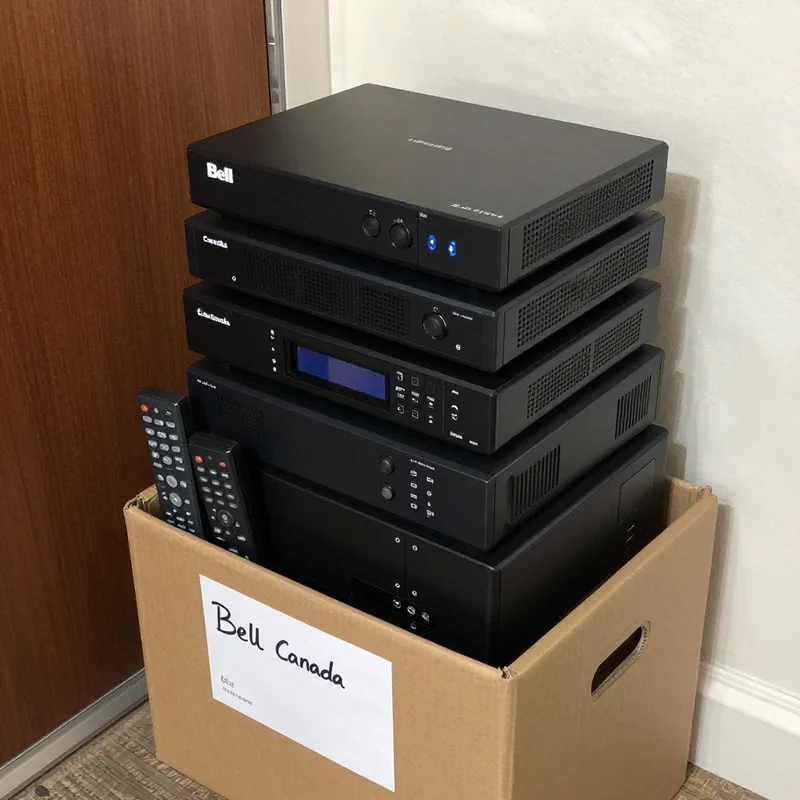
Cancelling the service doesn't end your relationship with Bell — you still need to return bell equipment or risk being charged its full retail value on a future bill. That includes the Fibe TV receiver, any 4K PVR box, and Whole Home Wi-Fi pods if you had them. Bell typically gives you a prepaid return kit or directs you to a Bell store or a partner shipping location like Canada Post. Keep every receipt and tracking number. Take a photo of the serial numbers on the boxes before you seal them, just in case something gets lost in transit and you need proof you shipped it. The 30-day window is not generous, so don't let the boxes sit in a closet. Once returned, ask for confirmation in writing that the equipment was received and your account shows a zero balance — unreturned gear is one of the most common billing disputes cable customers report months after they thought they were done.
Real-World Scenario: When Bell Tries to Win You Back
Picture this illustrative example: a Toronto household calls to cancel their Fibe TV bundle after eight years, planning to switch from bell to a mix of free-to-air channels and a streaming box. The agent, following standard bell retention offers scripting, offers 40% off for six months, then a free premium channel package, then finally a lower-tier bundle at a reduced rate. None of these offers are wrong to accept if the new price genuinely works for the household's budget — but it's worth noticing that these are always temporary. The discount expires, and the bill creeps back up, often higher than before because promotional pricing masks the base rate. If you know you want out permanently, it helps to say so plainly: "I appreciate the offer, but I'd like to proceed with cancellation." Devices like the Fire TV Stick 4K, NVIDIA Shield, or a Hisense U8 with built-in smart apps can replace a cable box for a fraction of what a Bell bundle costs long-term, and once you've made that switch mentally, retention offers lose their pull. For a broader look at whether a full IPTV or streaming replacement makes sense for your household, our guide at IPTVCad's streaming setup resources breaks down realistic monthly costs compared to traditional cable.
One honest trade-off worth naming: streaming replacements aren't always cheaper once you add up several subscription services, especially if your household watches a lot of live sports or regional news that Bell bundled in for one price. Do a real tally of what you'll actually subscribe to before assuming the switch saves money every month. TechRadar has noted this pattern across Canadian and U.S. markets alike — the savings are real for many households, but not universal.
Can I cancel Bell cable online without calling?Stay Up to Date
Get the latest IPTV news, channel updates and streaming tips delivered straight to your inbox.